What a clothing ad is here
Clothing ads, ads for clothing, fashion ads, and clothing brand ads all mean the same thing here: one short silent portrait clip made from one product photo. Each idea below names what the clip shows, which template fits, where to place the file, and the hook text you add in an editor. The clip does not add that text.
Upload a product photo you have the right to use. The checkbox says: I have the right to use this photo. You do not type a prompt. The template is the move. The long edge of the photo is kept at 2048 pixels, and the stored file is a JPEG.
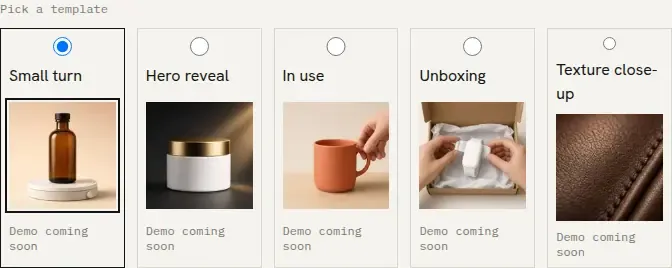
The product ads page lists 5 cards: Small turn, Hero reveal, In use, Unboxing, and Texture close-up. The AI product video generator lists 4: Small turn, Hero reveal, In use, and Unboxing. Texture close-up is on the product ads page and is not one of those 4.
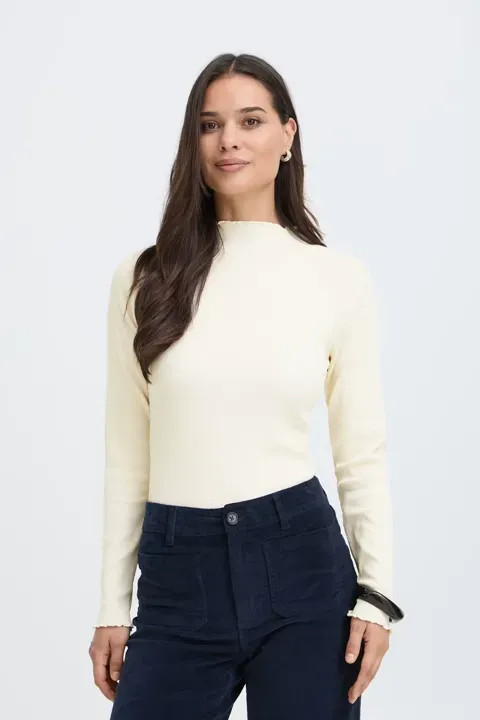
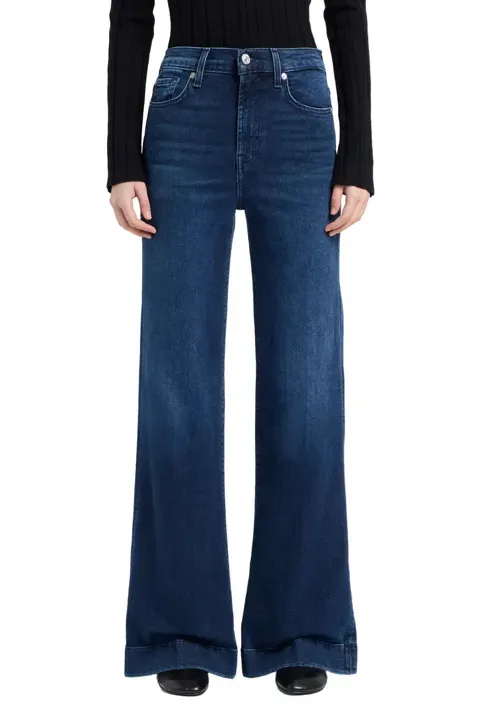
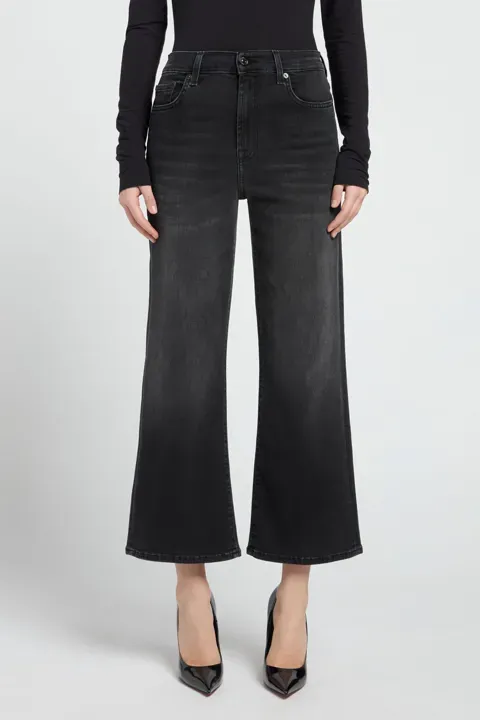
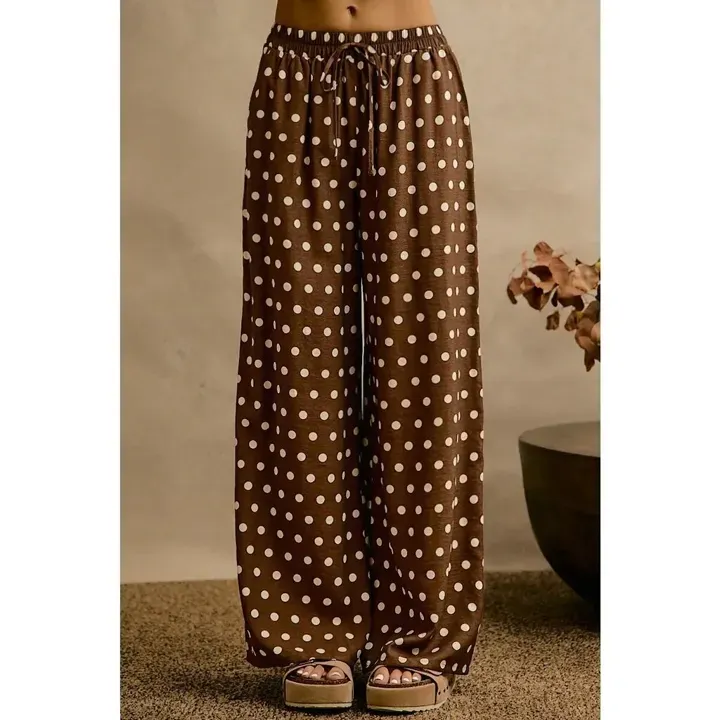
The four photos on make a clothing video from one photo are Mock-neck knit top, Wide-leg flare jeans, Cropped wide-leg jeans, and Polka-dot wide-leg pants. Each clip on that page is made from the photo beside it. This article does not name a store.
Facebook, Instagram and TikTok pixel specs are not in this article.
The five templates
The product ads page lists them in this order:
- Small turn. "The product in the photo turns a small ±20° on a plain backdrop, keeping the front visible."
- Hero reveal. "A soft light sweep reveals the product in the photo. The front stays visible and the label faces the camera."
- In use. "A hand picks up the product in the photo and sets it back down. The label stays facing the camera and the hand never covers it."
- Unboxing. "The product in the photo is lifted out of its box and set on the table. The label stays facing the camera and the hand never covers it."
- Texture close-up. "The camera moves across the surface of the product in the photo, not across the label."
Twelve ideas
The file is the same each time. The template is the move, and the hook is text you add later.
-
New arrival. Hero reveal sweeps a soft light across the garment and keeps the front visible. Use it as the featured media on the product page, or in a paid placement for the drop. Hook text to add in an editor: New arrival.
-
Restock. Small turn turns the piece a little on a plain backdrop and keeps the front visible. Run it the day the size comes back, on the product page and in a paid placement. Hook text to add in an editor: Restocked.
-
Fabric close-up. Texture close-up moves across the fabric, not across a label. Use it in a paid placement where the cloth is the point. Hook text to add in an editor: Feel the knit.
-
Fit and turn. If the garment is already on a person in the photo, Small turn turns that photo a little. The photo is what moves. This does not add a person. Place it in a paid placement for the fit. Hook text to add in an editor: Watch the fit.
-
Outfit pairing. Only the pieces already in the photo. Sisif does not composite a second garment. Use this when the photo already shows the outfit. Small turn is the move. Place it in a paid placement for that pair. Hook text to add in an editor: Wear it with.
-
BFCM drop. BFCM means Black Friday and Cyber Monday. Hero reveal puts a light sweep on the piece you are releasing in that window. Use it in a paid placement during the window, and on the product page. Hook text to add in an editor: BFCM drop.
-
Gift guide. Hero reveal shows one piece, as a gift. The photo is one product unless the photo you upload is already a group. Place it in a paid placement inside a gift guide you post. Hook text to add in an editor: Gift this.
-
Back in stock. Small turn turns the piece that returned after a wait. Use it where people asked to be told, and on the product page. Hook text to add in an editor: Back in stock.
-
Unboxing. The product is lifted out of its box. Use Unboxing only when the photo already shows a box. The template does not add a box. Place it in a paid placement for a packaged piece. Hook text to add in an editor: Open this.
-
Neckline and weave. A second pass with Texture close-up, this time across the neckline or the weave already in the photo. Place it beside the fabric idea. Hook text to add in an editor: Look closer.
-
Picked up. A hand picks the product up and sets it down. Use In use only when the photo already shows a hand. The template does not add a hand. Place it in a paid placement that needs a hand in the frame. Hook text to add in an editor: Pick it up.
-
Weekend drop. Hero reveal for a release you have scheduled on the weekend. Use it in that paid placement and on the product page. Hook text to add in an editor: This weekend.
Make the clip
Make the first clip for $1. That purchase is 12 credits. The file has no watermark. A subscription is not required. The file is ready in 2-5 minutes. The pay page shows the product name, the photo when one is attached, and the price. It does not print the prompt. Start from make a clothing video from one photo or the AI product video generator.
Frequently asked questions
What is a clothing ad on this page?
Which template should I pick?
Do I type a prompt?
Does the clip include the hook text?
Do I need a subscription?
Can I use someone else's product photo?
Try it on sisif
Product ad
One photo, one move, a 5-second portrait clip for $1.